

Exploring Notion AI features for ISO 27001 and GDPR
| Pavlo Burda |
Artificial Intelligence
Security

The rise of AI-powered workspaces is changing how InfoSec teams manage their security programs. In Notion, ISO 27001 documentation can evolve from static registers into intelligent dashboards for your Information Security Management System (ISMS).
Using Notion and AI to save time
Previously, we showcased how can you implement your ISMS register in Notion together with a ready-made risk register template. In this article, we explore the use of Notion for additional parts of the ISMS. Specifically we look at the use of the AI features of Notion. You need to use AI carefully, but it can be a great timesaver.
This article is written specifically for organisations that already use Notion and would like it for their ISMS or to start with ISO 27001 compliance. If you already understand Notion, we recommend using it for ISMS and using the AI features to automate common tasks. If you are not familiar for Notion yet, we recommend to set up your ISMS using tools you already know such as Sharepoint or Confluence, using our existing word-excel templates for ISO 27001.
Supplier management in ISO 27001
A large part of ISMS implementation is implementing all the controls, specifically the ISO 27001 A5 Organisational controls that include supplier reviews and management. Following the requirements of Annex Controls 5.19-5.22, the relationship with external suppliers should include information security considerations, such as a specific policy with info-sec requirements.
A sound approach is to implement a Supplier Register to track of periodic supplier reviews. The register lists all relevant suppliers, agreed info-sec requirements and records of requirement fulfillment. In previous articles, we have explained how you can track your supplier relationships with free supplier register excel template.
The spreadsheet is a practical and transparent format: every supplier described in one place, with columns for requirements (such as Data Processing Agreements or ISO 27001 certification) and review evidence (such as comments, notes and local documents). But supplier relationships do not stay still for long. Contracts may change, new suppliers arrive, certifications expire and business criticality shifts as processes move to the cloud. What begins as a well-structured Excel sheet can become an administrative burden. By the time the next audit cycle arrives, risk evidence is buried in file shares, emails and half the “review dates” are outdated.
Notion changes this dynamic. Instead of a static register, we can build an interactive supplier workspace (everything is workspace these days): each record is a page linked to relevant data, like contracts, risk assessments or other documents. On top of that, we leverage the latest Notion’s integrated AI to simplify and automate maintenance by:
- Generating concise supplier summaries from unstructured information on the supplier page, inside and outside the register
- Assessing Data Processing Agreements (DPA) of suppliers as part of GDPR compliance
- Integrating with planned actions to flag missing evidence and avoid last-minute surprises
- Drafting supplier-risk comments or review notes for human approval before audits
Generating concise supplier summaries
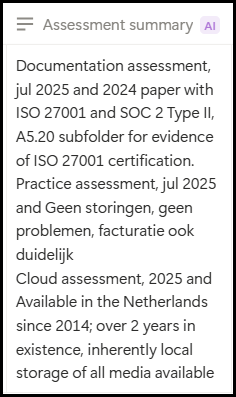
Following the structure of our original template, each supplier record (L1, L2, etc.) is a page with a collection of previous assessments, linked documents and other notes. A page row has the usual records of the supplier register (status, requirements, etc.) as columns. However, listing each (yearly) assessment on columns inflates the supplier table. Instead, we place all relevant assessments and notes (like checking if supplier is ISO27001 compliant, has an adequate DPA or other practical requirements) into the page as unstructured or long-form content (figure above). Then, the column “Assessment summary” has an AI autofill prompt to fetch page’s content and fill the summary in the table view (figure on the right, Dropbox supplier). Whenever new content is added to any supplier page, the autofill property can apply the updates to all the edited suppliers.
Assessing Data Processing Agreements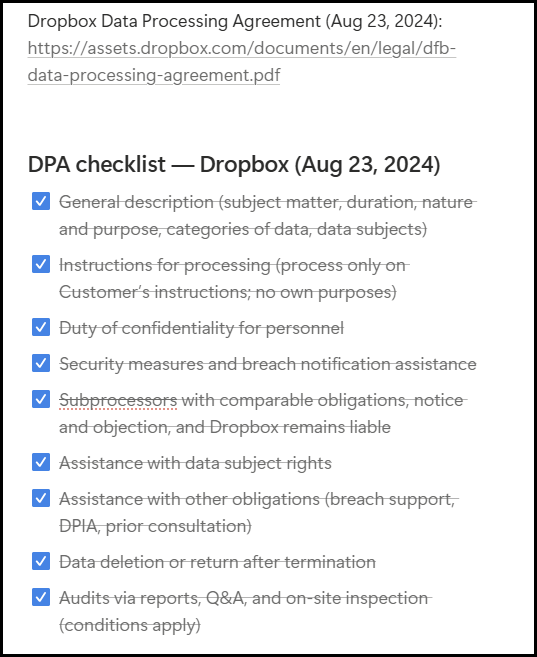
Compliance with the GDPR is required for organisations that process personal data in Europe or of European citizens. An important requirement of the GDPR is to close data processing agreements with every party that you share personal data with, as explained in this article on data processing agreements. This data processing agreement (DPA) can be a separate document or can be included in the main contract, in which case it is often called a data processing addendum. It is highly recommended to check the presence of a good DPA in the supper review, so that you do not need an additional DPA register. Checking whether the DPA contains the obligations for the processor from Article 28 is a task that can be automated. In our template, we use the AI chatbot to fetch and report the DPA addendum of large suppliers, like Dropbox and Microsoft. From the L1 page, I prompt the chatbot to fetch the public DPA addendum from Dropbox and report the relevant items within the page (see figure). The AI feature can contextually link any DPIAs relevant for the supplier, thanks to the integrated DPIA Notion template.
Integration with calendar and flag anomalies
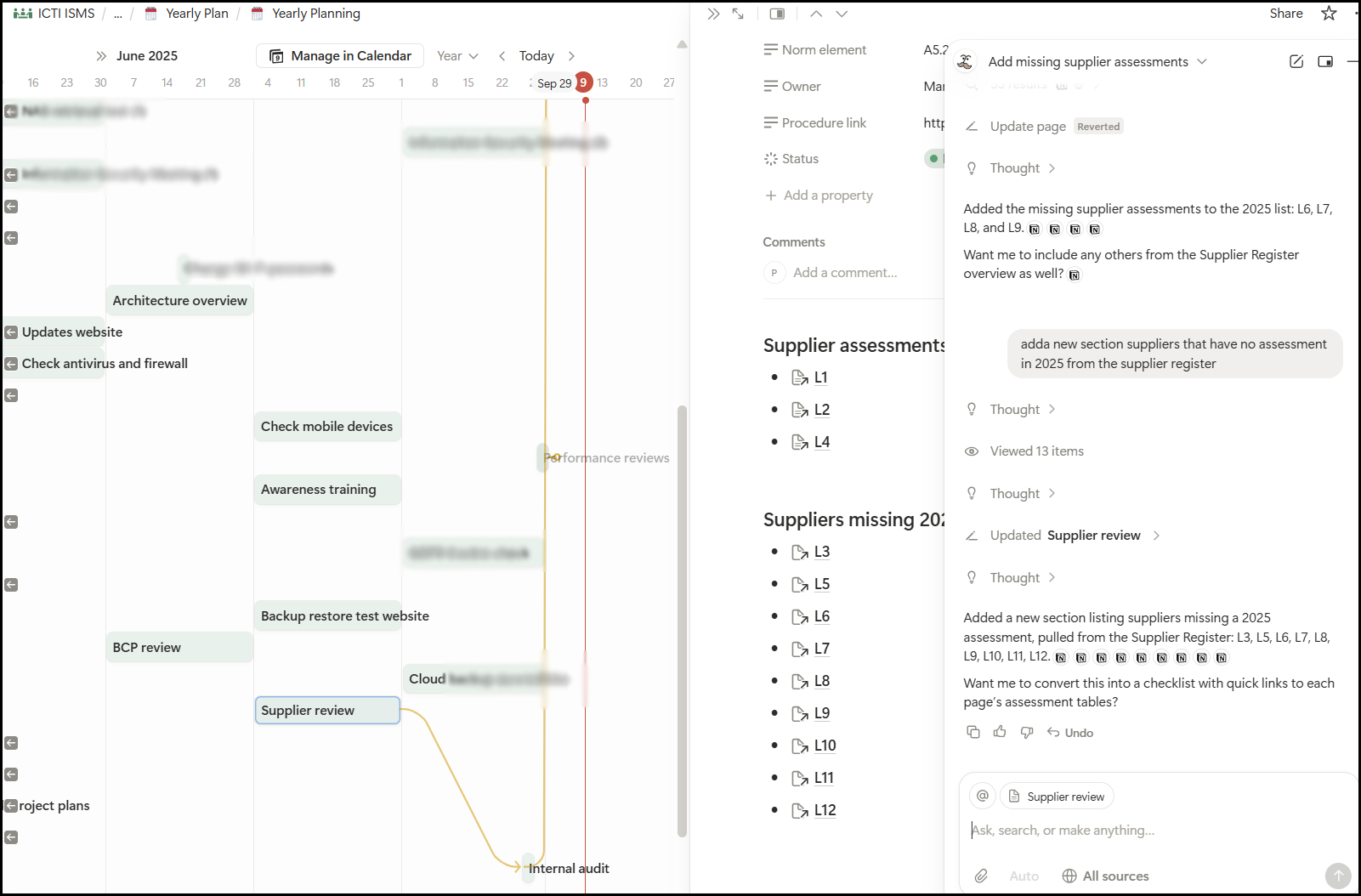
Another useful feature of Notion is tracking information across planned events, like periodic reviews and info-sec meetings. In the example below, I prompted the chatbot to link the missing assessments from the supplier register in the yearly Supplier review event. Since the Supplier review is a blocking event before a planned Internal Audit, everyone on the info-sec team is well aware of the missing bits straight from the yearly view.
Drafting review notes
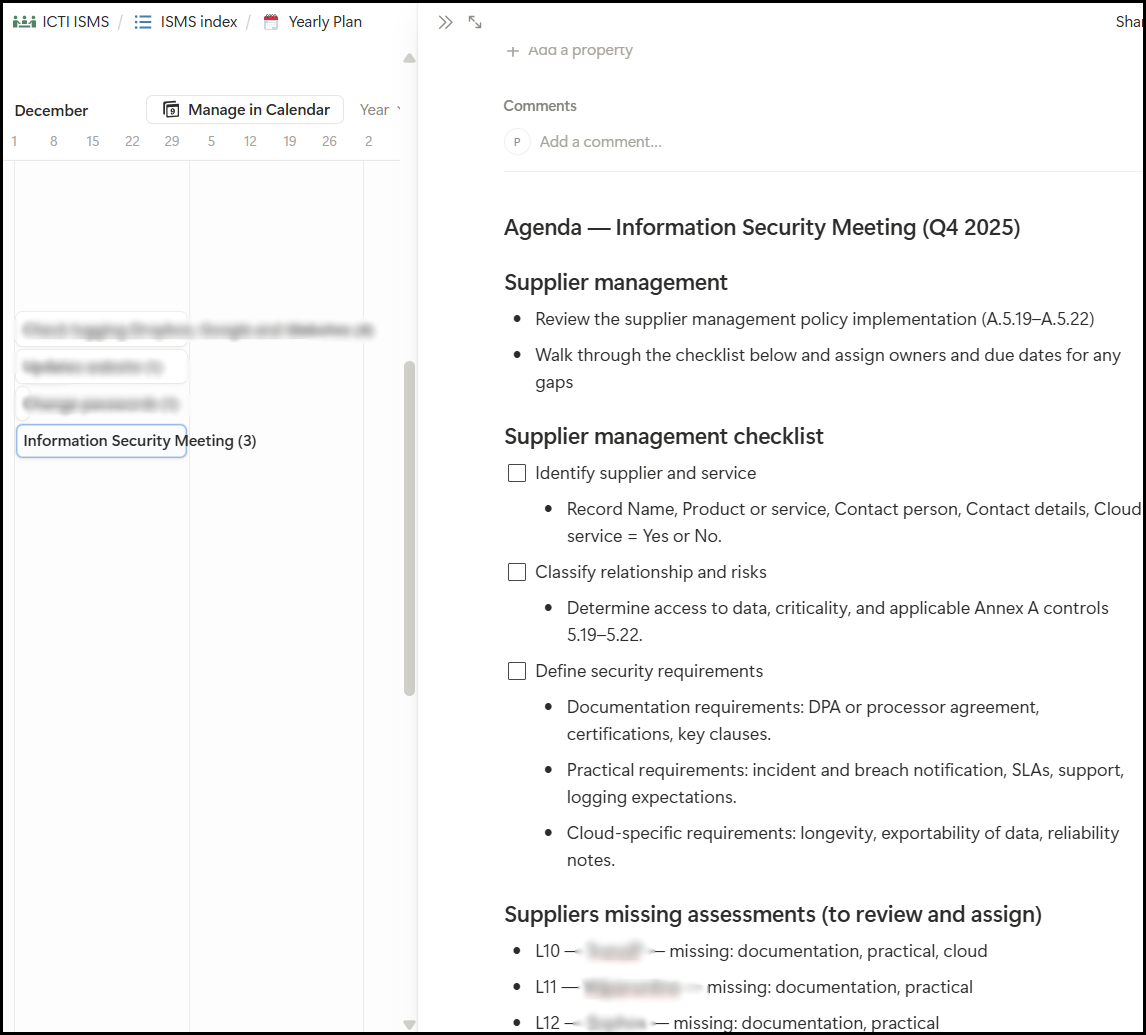
Finally, the LLM chatbot can be valuable to quickly extract relevant instructions and draft notes for upcoming events like info-sec meetings and audits. In the example below, I query contextual instructions about supplier reviews from the InfoSec Procedures pages in the ISMS in preparation for a meeting. It is important to note here that the extracted information strongly depends on your own knowledge base, such as how well developed are your procedures and policies: the bot cannot retrieve what is not there.
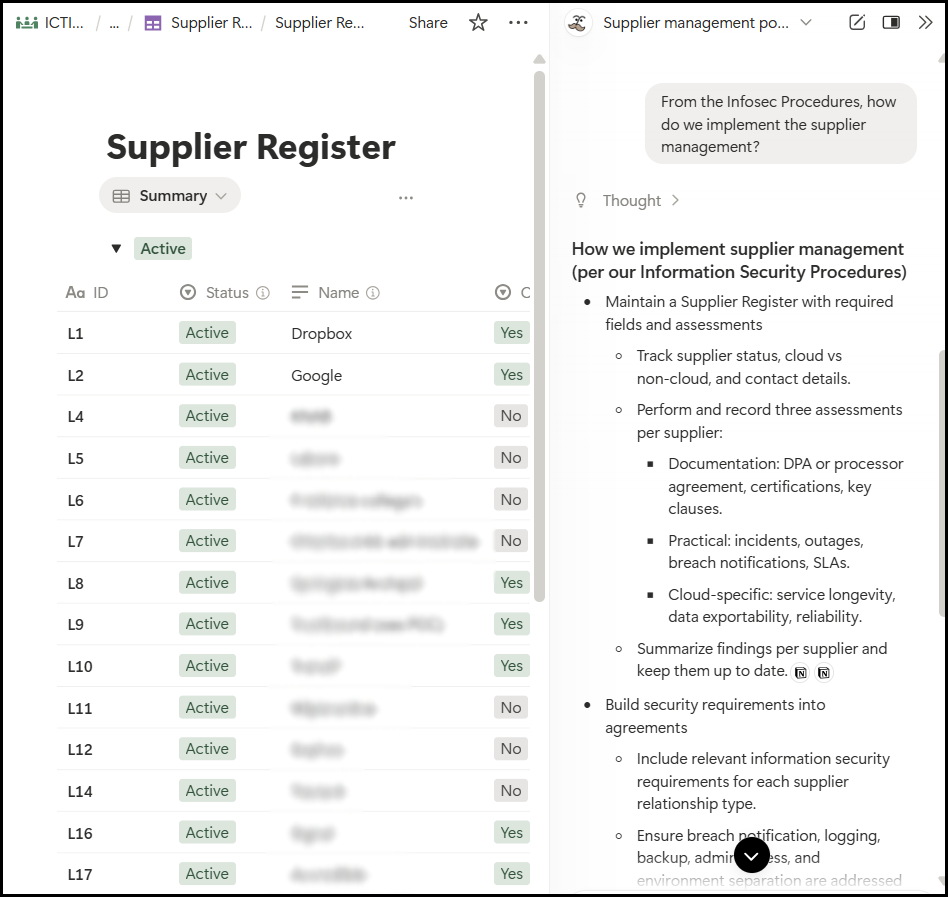
To make the meeting agenda, I prompt the bot to generate a review checklist with missing suppliers based on the supplier register, yearly agenda and procedures. As a busy security officer, I ask the chatbot to push the checklist into the agenda of the next IS meeting on calendar.

The Notion workspace approach turns ISMS from a periodic documentation task into an ongoing, assisted workflow. The AI integration does not really make an ISMS for you, but rather acts as a second pair of eyes, highlighting gaps and connecting otherwise separate elements of the ISMS. The point is not to replace the maintenance but give context and continuity to the existing structure.
In our previous article on Notion, we provide a practical starting point for aligning with ISO 27001 ISMS while leveraging Notion’s strengths with our free Notion template (which is actually a live website you can visit and try out yourself). Also, check our complete series on ISO 27001 controls and our trainings page where you learn how to use the standard ISO 27001 to set up an ISMS.

Dr. Pavlo Burda is an IT consultant and researcher specializing in emerging cybersecurity threats and people analytics for security.